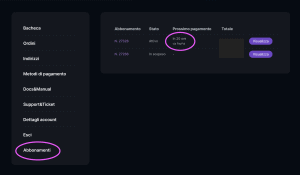
Cancel Subscription:
At any time you can choose to cancel your subscription. To do so, go to your restricted area, and select the "Subscriptions" item.
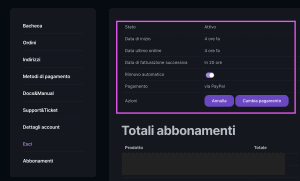
In this section you can find all the data related to your active subscription, including the date of the next automatic renewal.Pressing on the "View" button will show a screen where you can CANCEL the automatic renewal or CANCEL the subscription.
Your device will remain active until the expiration date of the plan current, after that date the plan will not automatically renew.
With your account you will be able to continue accessing both the DiscoveRig App and your reserved area. You can request that your account and all your data be permanently deleted by sending an email to supporto@discoverig.it or by opening a support ticket in the restricted area, indicating your ID, activation code and email.

 EN
EN  IT
IT