Directly from the DiscoveRig portal, you can choose to share your real-time location with the DropZone where you are jumping, so you know where you are in the event of an out-of-bounds or emergency situation.
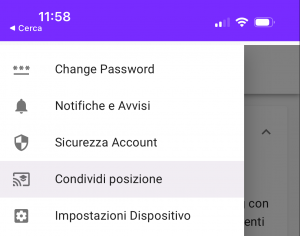
Go to the "Share Location" section from the DiscoveRig portal menu.
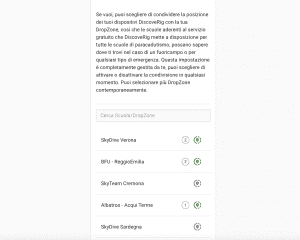
You will find a list of all DropZones that are participating in the "Safe with DiscoveRig" project, to share the location of your DiscoveRig device with one of them, press on the location icon next to the name of the desired DropZone (When this icon is colored sees it means that there are active shares and the number of shared devices will be shown next to it. When it is gray in color, sharing with that parachute school is not active).
Once the skydiving school is selected, a screen will appear where we can choose which device to share by activating the switch next to the device name. It is also possible to change the device name that the DropZone or skydiving school will display. (For example, it is useful to enter your first and last name or any other useful information to be easily recognized).
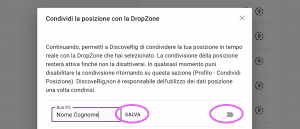
You can always, at any time, return to this section and disable location sharing with the DropZone of your choice by simply pressing the "location sharing" button that has turned green and unchecking the devices with sharing enabled.

 EN
EN  IT
IT