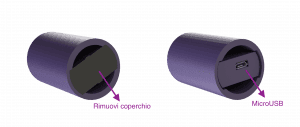
To recharge D-Handel remove the protective cover and insert the Micro Usb connector of the cable you found in the package, into the charging port on the device, then connect the USB (type A) connector to a 5 Volt (DC) power source such as a USB socket on your PC or a 5 Volt USB wall charger.
If your D-Handle has turned off due to low battery or you have turned it off from the app or web portal, when you connect it to a power source it will automatically turn on.
If you have enabled notifications, you will receive a Push notification when the battery is charged. The average battery charging time is 30 minutes to 1 hour.

 EN
EN  IT
IT